
Quick Summary
A Multi-Store POS System for Retail connects all your store locations into one platform. You get real-time inventory visibility, unified customer profiles, and centralized reporting. This helps you stop stockouts, reduce manual work, and give customers a smooth experience whether they shop at Store A or Store B.
Table Of Contents
Introduction
If you own a multistore chain or are looking to grow and scale your business to multiple locations, you already know the struggle. Each store operates on its own, with separate inventory, different sales data, and no shared customer information. A Multi-Store POS System for Retail solves this problem by connecting every location into one unified platform. In this blog post, you will learn exactly what features matter most, what benefits you can expect, and which tools actually deliver results for retail chains like yours.
Key Takeaways
Disconnected stores lose revenue daily.
A Multi-Store POS System for Retail connects all locations.
Cloud systems open new stores faster.
Test one store before full rollout.
Pick a POS that works with your other software.
Three Big Problems When Stores Are Not Connected
It can be challenging for retail chains to get a clear view of what is actually happening across all their stores. When every location uses a basic cash register, you cannot see stock levels, customer purchases, or daily sales in one place.
Inventory Mismatch: You cannot guess which store needs more stock and which store has too much. Without a connected system, you either run out of bestsellers or waste money on products that just sit on shelves.
Fragmented Customer Experience: When a customer buys from one store but cannot return the item at another branch, they get angry. They expect every location to know their purchase history. Basic POS software for retail chains cannot do this.
Operational Inefficiency: Your staff wastes hours every week manually updating prices across ten different locations. Reconciling sales takes forever. This is why retail chain management software is no longer a luxury.
Check out the POS features for electronics retail.
GETPOS Pro Tip: Always confirm your POS syncs stock in real time across every location. Without it, two stores can sell the same item at once and create costly overselling and unhappy customers.
Critical Features of an Enterprise Retail POS System
Remember, basic checkout systems cannot handle the needs of growing retail chains.
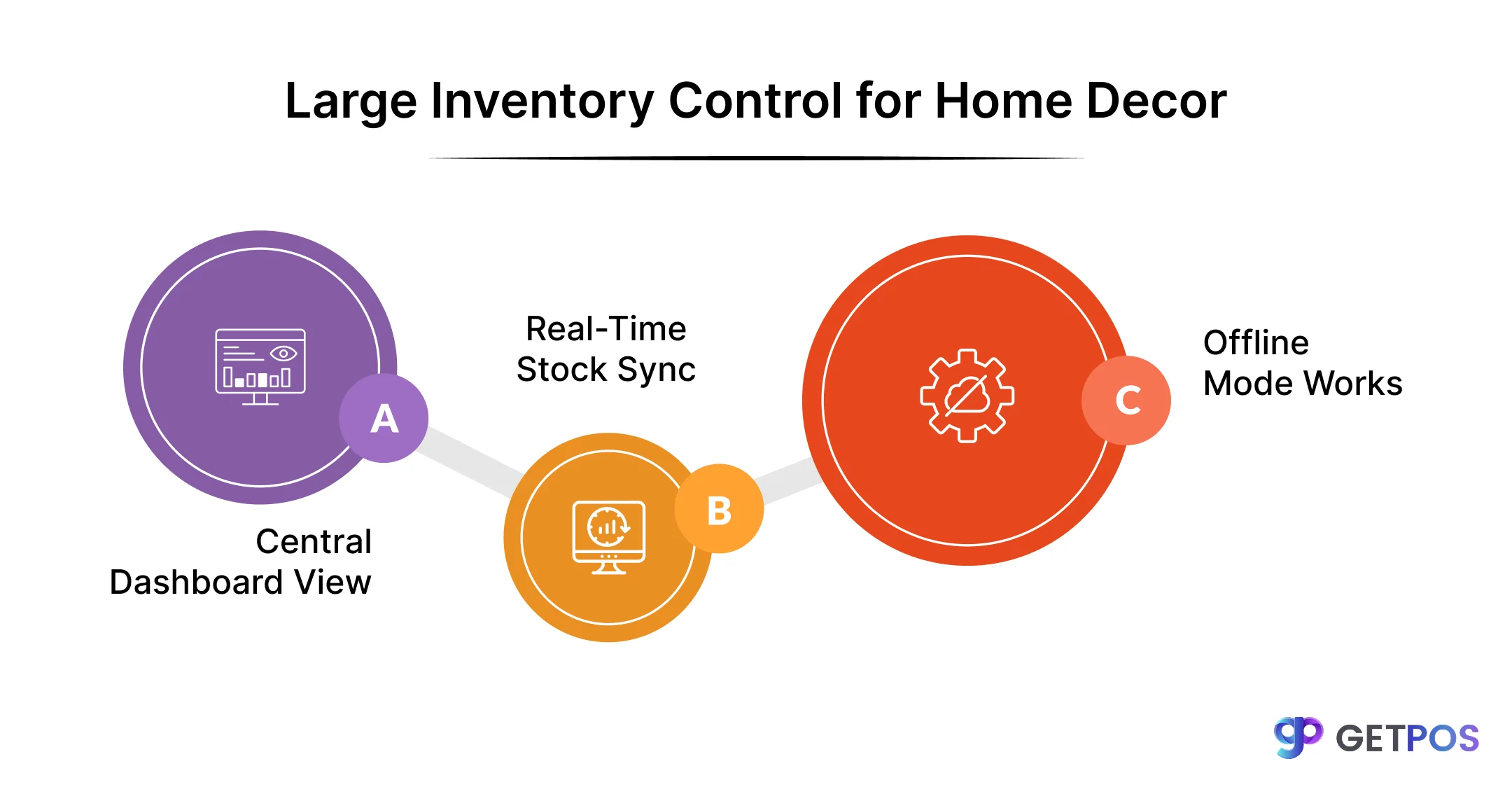
1. Central Dashboard with Store Controls
You need one screen to see all stores at once. But you also need each store manager to change prices for local sales. The system should let you set global rules while giving local control for store-specific promotions.
2. Real-Time Stock Sync Across Locations
When a store sells an item, every other store should see that change immediately. This stops you from selling the same product twice. It also lets you sell from one store even if another store is out of stock. Your multi-location POS software must update inventory in real time.
3. Unified Customer Profiles
Every customer has one profile that travels with them across all your stores. You can see what they bought at any location, when they last visited, and what they like. This helps you run loyalty programs that actually work and reward repeat buyers.
4. Offline Mode That Keeps Working
The Internet goes down sometimes, and your checkout should not stop. A good POS software for retail chains saves every sale locally when offline and syncs automatically when the connection returns. This level of connectivity is what defines the best multi-store POS systems on the market today.
How a Connected System Improves Your Profits
When you implement a unified Multi-Store POS System for Retail, the benefits are many. You will see better stock movement, lower labor costs, and customers who buy from you again and again.
Faster Inventory Turnover: A connected system looks at what sells across all your stores and tells you exactly what to reorder and when. You stop guessing which products need more stock. The system automates replenishment based on real chain-wide demand, not just one store’s numbers.
Better Staff Scheduling: You can see which hours are busiest across every location. This data helps you schedule the right number of staff at the right times. You stop paying people to stand around during slow hours and stop losing customers during rush hours because you have too few cashiers.
Higher Customer Lifetime Value: When a customer visits any store, you recognize them. You know their past purchases and preferences. This seamless data flow is the hallmark of a true enterprise retail POS system. Customers feel valued and keep coming back, spending more money with you over time.

Cloud vs. On-Premise: Choosing for Your Retail Chain
For your retail chain you have to choose between cloud and on-premise systems. Cloud software runs on the internet with no hardware to buy, while on-premise runs on your own servers that you must maintain. Cloud-based multi-location POS software lets you open a new store in one day by simply logging into a tablet.
The total cost is lower with cloud because you pay a monthly fee with no surprise server repairs. Security is easier too, as the provider handles PCI compliance for all stores. A cloud multi-store POS system does this automatically.
Best Tools and How to Evaluate Them
When you evaluate a multi-store POS system, you need to check them against these factors before choosing.
First, the integration test. Your POS software for retail chains must talk to your accounting software. It must also connect to your online store on Shopify or Magento. If these systems do not share data, you will waste hours manually moving numbers between them.
Second, look for API-first architecture, which simply means the software can easily connect to new tools you may need in the future. As your chain grows, you will want different apps for loyalty, reporting, or warehouse management. An API-first system lets you add these without replacing your entire POS.
Third, check hardware flexibility. Your new system should work with your existing barcode scanners, receipt printers, and cash drawers. You should not have to buy all new equipment for every store.
When you check, focus on vendors that specialize in the best multi-store POS systems. Generic POS software made for single stores will not have the depth you need for supply chain and multi-location operations.
This is the Best Retail POS Software in India for SMEs 2026.
Implementation Strategies for Your Store
Test your Multi-Store POS System for Retail in one busy store first before rolling out everywhere.
Clean up all product names, prices, and barcodes before moving data into the new system.
Train your managers on one location, then have them train their own store teams.
Keep your old system running alongside the new one for the first few days as backup.
Proper planning turns standard retail chain billing software into a tool that actually helps you grow.
Conclusion
Running a retail chain with disconnected stores costs you money every single day. A Multi-Store POS System for Retail fixes all of this by connecting every store into one system. You get real-time inventory, unified customer data, and better control over your entire chain. When you choose solutions from GETPOS, you get a system built specifically for retail chains that is simple to use, easy to deploy, and designed to help you scale without challenges.
Frequently Asked Questions
Yes, most modern multi-store systems work with standard hardware. Check with the vendor about compatibility before buying to avoid replacing all your equipment.
The system updates stock in real time across all channels. When you sell something in a store, your website shows the new quantity immediately, preventing overselling.
A centralized dashboard shows you every store's performance together. You can filter by location, date, or product to compare results without merging spreadsheets manually.